AI document conversion for students, educators, and researchers
Turn handwritten notes into accessible
LaTeX+PDF and Word documents
Upload photos, scans, or PDFs of handwritten or printed material. Write2Notes rebuilds them as typed, structured, accessibility-enhanced documents — with real math, regenerated figures, and your instructions followed.
3 free guest conversions per day · PDF, JPG, or PNG · trial exports carry a watermark
Real conversions, not mockups
Each example shows the actual uploaded file next to the actual output Write2Notes produced — open one and scroll both documents side by side.
Built for hard academic content
Handwriting
Reads handwritten pages, whiteboard photos, and mixed print-and-script documents. Advanced AI mode (3× credits) is tuned for messy or faint writing and low-quality scans.
Math equations
Equations come back as real LaTeX math or Word equation objects — editable markup you can keep working with, not pictures of formulas.
Figures and graphs
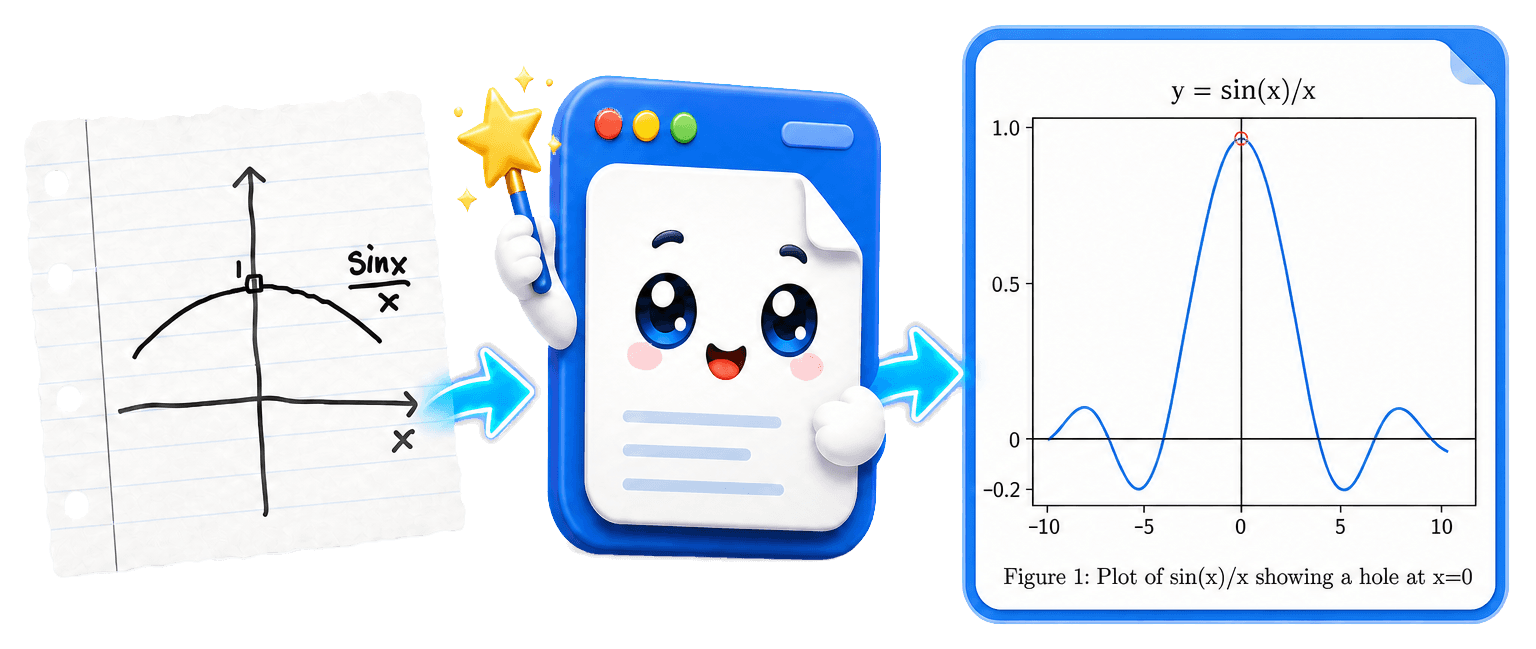
Diagrams are extracted from your pages, and hand-drawn sketches can be regenerated as clean matplotlib or TikZ graphics in the output.
How a conversion works
- 1
Upload
Drop images (JPG, PNG, HEIC) or PDFs — a single file, or up to 20 files in one batch job.
- 2
Choose the output
LaTeX+PDF, Word (DOCX), Markdown, or slides — with accessible output options built in.
- 3
Guide the AI (optional)
Pick a preset task, write custom instructions, or attach a reference file that shows the format you want.
- 4
AI conversion
The AI transcribes text and math, rebuilds figures, and applies your instructions. LaTeX outputs are compiled to PDF in the cloud.
- 5
Review and download
Preview the result, then download the document — including LaTeX source files — or open supported LaTeX outputs in Overleaf with one click.
- 6
Refine
Not quite right? Send feedback in plain language and get a revised version without re-uploading or starting over.
Choose the output that fits your work
LaTeX + PDF
Publication-ready LaTeX source with a compiled PDF, plus one-click Open in Overleaf for supported outputs.
Word (DOCX)
Editable Word documents with styles-based headings, native equations, tables, and figure alt text.
Markdown
Clean, portable Markdown for wikis, course sites, and note apps.
Slides
Turn notes into presentation decks — LaTeX Beamer PDFs or PowerPoint output.
Nine preset tasks, zero prompt engineering
One click applies a tested instruction set. Note: the exam and homework presets generate new material based on your notes rather than copying them.
Organize notes
Transcribe and structure your notes while keeping the original content.
Summarize
Condense long material into the key points.
Generate an exam
Create a new exam based on the material in your notes.
Generate homework
Produce fresh practice problems, with solutions, from your notes.
Solve problems
Work through the problems in your document with detailed solutions.
Formula sheet
Extract every formula into a compact reference sheet.
Translate
Convert and translate the content into another language in one pass.
Slides
Restructure notes into a presentation deck.
Custom instructions
Write your own prompt — "solve every problem", "put it in French", anything.
Presets work together with your custom instructions and reference files.
Accessibility
Accessible documents by default
A scanned page is invisible to a screen reader. Write2Notes outputs accessibility-enhanced documents instead: structured headings, figure alt text, real tables, document metadata, and tagged PDF from modern LaTeX (LuaLaTeX, TeX Live 2025+).
US public institutions have updated deadlines: the ADA Title II rule requires state and local governments — including public schools and universities — to meet WCAG 2.1 AA for web content and documents by April 26, 2027 (April 26, 2028 for entities serving fewer than 50,000 people and special district governments). Section 508 separately applies to federal agencies, while Section 504 covers federally funded programs.
Learn about accessible documentsOutput is accessibility-enhanced and gives you a strong head start; complex math and figures may still need human review for full conformance.
You stay in control of the output
Custom instructions
Tell the AI exactly what you want: "solve all the problems", "translate into French", "keep the section numbering". Instructions are applied during the conversion itself.
Format reference files
Attach an example document — a LaTeX template or a formatted DOCX — and the conversion follows its structure and style instead of a generic layout.
Refinement loop
After converting, send feedback like "make the theorem boxes numbered" and receive a revised output. No re-upload, no starting from scratch.
Scales from one page to a full course
Batch conversion
Convert up to 20 files in one job — as individual outputs or merged into a single document (multi-PDF batches up to 30 combined pages).
Large PDFs
Single PDFs up to 400 pages are handled with chunked processing designed for long documents.
Advanced AI
A higher-quality model (3× credits) for messy handwriting, low-quality scans, and complex layouts.
API & agent tools
Automate conversions with the REST API, CLI, and MCP integration for AI agents.
See what your notes look like typed
The guest trial converts up to three files a day — no account, no credit card.
